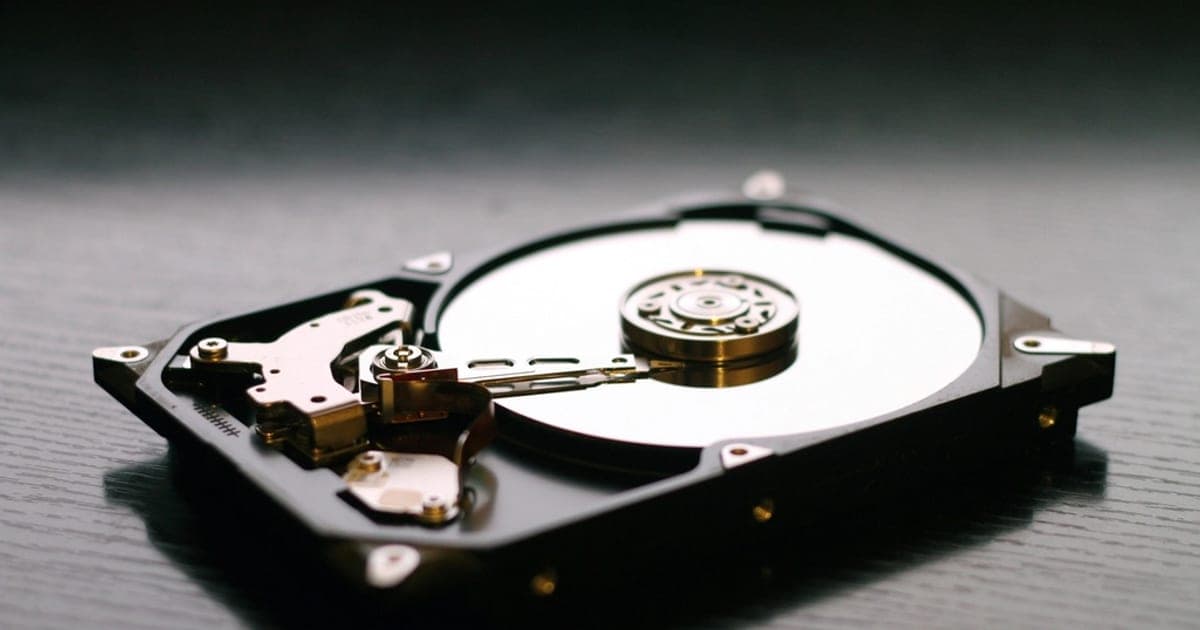
Understanding Why Hard Drives Fail
A dead hard drive is one of the most stressful situations any computer user can face — especially when critical files, family photos, or important business documents are at stake.
In Nepal, where regular power fluctuations and voltage surges are common, hard drive failures happen more frequently than in many other countries. Understanding the root causes of failure is the first step toward successful data recovery.
Hard drives can fail due to:
- Mechanical wear and tear over time
- Electrical damage from power surges
- Firmware corruption
- Physical impact from drops or mishandling
In Kathmandu and other cities across Nepal, the combination of dust, humidity, and inconsistent power supply puts additional strain on storage devices, making them more susceptible to premature failure.
Common Symptoms of a Dead Hard Drive
Before attempting any recovery, it is important to correctly diagnose whether your hard drive is truly dead or simply experiencing a recoverable issue.
Here are the most common symptoms to look out for:
- Clicking or grinding noises — These indicate mechanical failure, often caused by damaged read/write heads or a seized spindle motor.
- Drive not spinning up — Complete silence when powered on usually means the PCB (printed circuit board) has failed, often due to a power surge.
- BIOS not detecting the drive — This could point to firmware corruption or severe electronic damage.
- Burning smell — A clear sign of electrical component failure that requires immediate professional attention.
- Blue Screen of Death (BSOD) — Frequent crashes can indicate bad sectors or imminent complete failure.
DIY Steps You Can Try at Home
If your hard drive has stopped working, there are a few safe steps you can try before seeking professional help. Proceed with caution — improper handling can make recovery more difficult or even impossible.
- Try a different cable and port — Sometimes it is as simple as a faulty SATA or USB cable. Swap it out and try a different port.
- Connect as an external drive — Use a USB-to-SATA adapter to connect the dead drive to another working computer.
- Check Disk Management — On Windows, see if the drive appears but is not assigned a drive letter. Assigning one may restore access.
- Use data recovery software — If the drive is detected but files are inaccessible, tools like Recuva or R-Studio may help.
⚠️ Important: Never open a hard drive yourself. The internal platters are extremely sensitive to dust. Even a single fingerprint on a platter can destroy data permanently. Only open drives inside a certified cleanroom.
When to Seek Professional Data Recovery
If your drive is making clicking sounds, has suffered physical damage, or is not detected by any computer, it is time to consult a professional. The hard drive data recovery experts at Data Recovery Center Nepal use advanced tools and cleanroom facilities to safely retrieve your data.
Professional recovery is essential when:
- The drive has mechanical damage requiring head replacement
- Firmware-level corruption prevents detection
- The PCB has been damaged by a power surge or lightning strike
- Previous DIY attempts have failed
- The data is business-critical with no backup
How Professional Data Recovery Works
At a professional lab, technicians begin with a thorough diagnosis to determine the exact cause of failure — whether mechanical, electronic, logical, or firmware-related.
For mechanical failures, the drive is opened inside a cleanroom (dust-free environment). Damaged components like read/write heads are replaced with compatible donor parts. The data is then carefully imaged to a healthy drive before extraction.
For logical failures, specialized forensic software reconstructs the file system, recovers deleted partitions, and extracts data even from severely corrupted drives.
Preventing Hard Drive Failure in Nepal
Prevention is always better than recovery. Here are practical tips for protecting your hard drive in Nepal's challenging environment:
- Use a UPS — Protects against sudden power outages and voltage spikes, which are common across Nepal.
- Follow the 3-2-1 backup rule — Three copies of your data, on two different media types, with one copy stored offsite or in the cloud.
- Keep your system cool — Overheating accelerates wear. Ensure proper ventilation.
- Handle with care — Avoid moving your laptop while the hard drive is active. Physical shocks cause mechanical failure.
Get Expert Help Today
If you are dealing with a dead hard drive, do not risk further damage with unproven methods. Contact Data Recovery Center Nepal for a free diagnosis and consultation.
Our hard drive data recovery service has helped thousands of individuals and businesses across Nepal recover their most important files — safely and affordably.