Why Early Detection Matters
Hard drive failure rarely happens without warning. In most cases, drives exhibit subtle signs of deterioration weeks or even months before finally giving out.
Recognizing these warning signs early can mean the difference between a simple backup operation and an expensive professional recovery. In Nepal, where power instability and environmental factors accelerate drive wear, knowing these signs is especially important.
Sign 1: Unusual Noises
A healthy hard drive operates with a quiet, consistent hum. If you start hearing clicking, grinding, buzzing, or beeping sounds, this is one of the most serious warning signs.
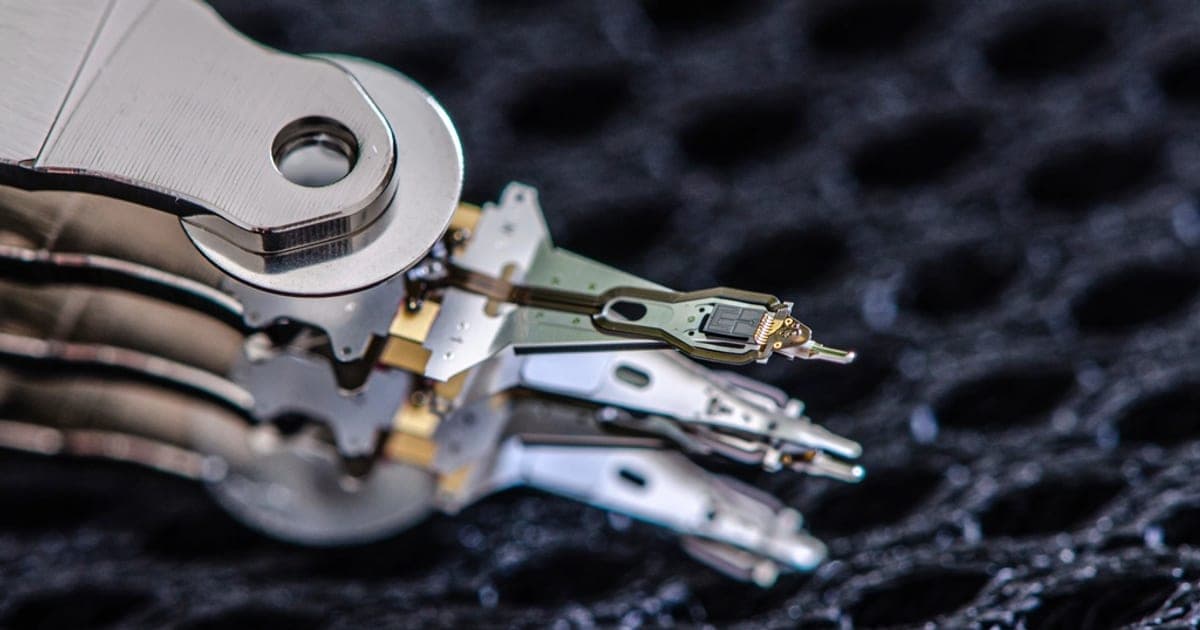
Clicking sounds typically indicate the read/write heads are struggling to position correctly — often called the "click of death." Grinding noises suggest heads are making physical contact with the platters, which can rapidly destroy data.
What to do: Stop using the computer immediately. Continued operation can scratch the platter surface and make recovery impossible. Back up whatever you can and consult a professional recovery service.
Sign 2: Frequent Crashes and Blue Screens
If your computer has started crashing frequently or displaying the Blue Screen of Death (BSOD), your hard drive could be developing bad sectors — areas that can no longer reliably store data.
Watch for these specific symptoms:
- Programs take unusually long to open or respond
- The computer freezes when accessing specific files
- Windows runs disk check (CHKDSK) at every startup
- Error messages about file system corruption
In Nepal, power outages during disk write operations can accelerate bad sector formation. Using a UPS is strongly recommended.
Sign 3: Files Disappearing or Becoming Corrupted
One of the most alarming signs — files and folders start disappearing, become corrupted, or cannot be opened. You might try to open a document from yesterday only to find it unreadable.
This happens when the drive can no longer reliably read data on its platters. The file system metadata can also become corrupted, causing files to appear missing even though the data may still exist.
⚠️ Avoid running CHKDSK or disk repair utilities. While these tools fix file system errors, they sometimes overwrite data, making professional recovery harder. Instead, back up accessible files immediately.
Sign 4: Extremely Slow Performance
If tasks that used to take seconds now take minutes, your hard drive may be struggling due to deteriorating platter surfaces or failing mechanical components.
Specific symptoms to watch for:
- Long boot times — Computer takes much longer to start up
- Slow file access — Opening folders or files takes an unusually long time
- Laggy applications — Programs stutter and become unresponsive
- Delayed file operations — Copying or moving files takes significantly longer
Regular monitoring with tools like CrystalDiskInfo can help catch performance issues early.
Sign 5: S.M.A.R.T. Warnings
Modern hard drives include S.M.A.R.T. (Self-Monitoring, Analysis, and Reporting Technology) — a built-in monitoring system that tracks drive health indicators.
Key attributes to monitor:
- Reallocated Sector Count — Rising numbers mean the drive is replacing bad sectors. High values indicate significant degradation.
- Current Pending Sector Count — Sectors waiting to be tested. High values suggest surface deterioration.
- Spin Retry Count — Increasing retries indicate motor or bearing problems.
- Temperature — Consistently high temps accelerate wear and premature failure.
Free tools like CrystalDiskInfo and Hard Disk Sentinel display S.M.A.R.T. data in easy-to-understand format. Check at least once a month.
What to Do If You Notice These Signs
If you observe one or more of these warning signs, take immediate action:
- Stop saving new data to the failing drive
- Back up immediately to another drive, USB, or cloud storage
- Do not run repair utilities — tools like CHKDSK can cause further data loss
- Seek professional help for a proper diagnosis
At Data Recovery Center Nepal, we provide expert hard drive data recovery with a free initial diagnosis. Early intervention dramatically increases recovery chances.